
Install CleanStream in under a minute and start watching clean today
CleanStream works on your computer using a browser extension. Want to watch on your TV? Simply connect a small PC to your TV with an HDMI cable - see our FAQ for details.
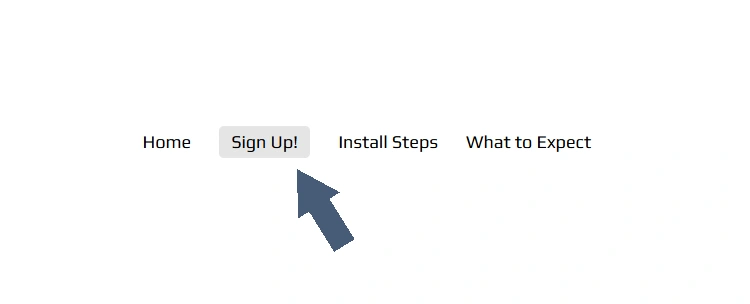
1. Click Sign Up!
Choose your plan and you’ll be taken to our secure checkout.
Simple pricing
No hidden fees
Takes less than a minute
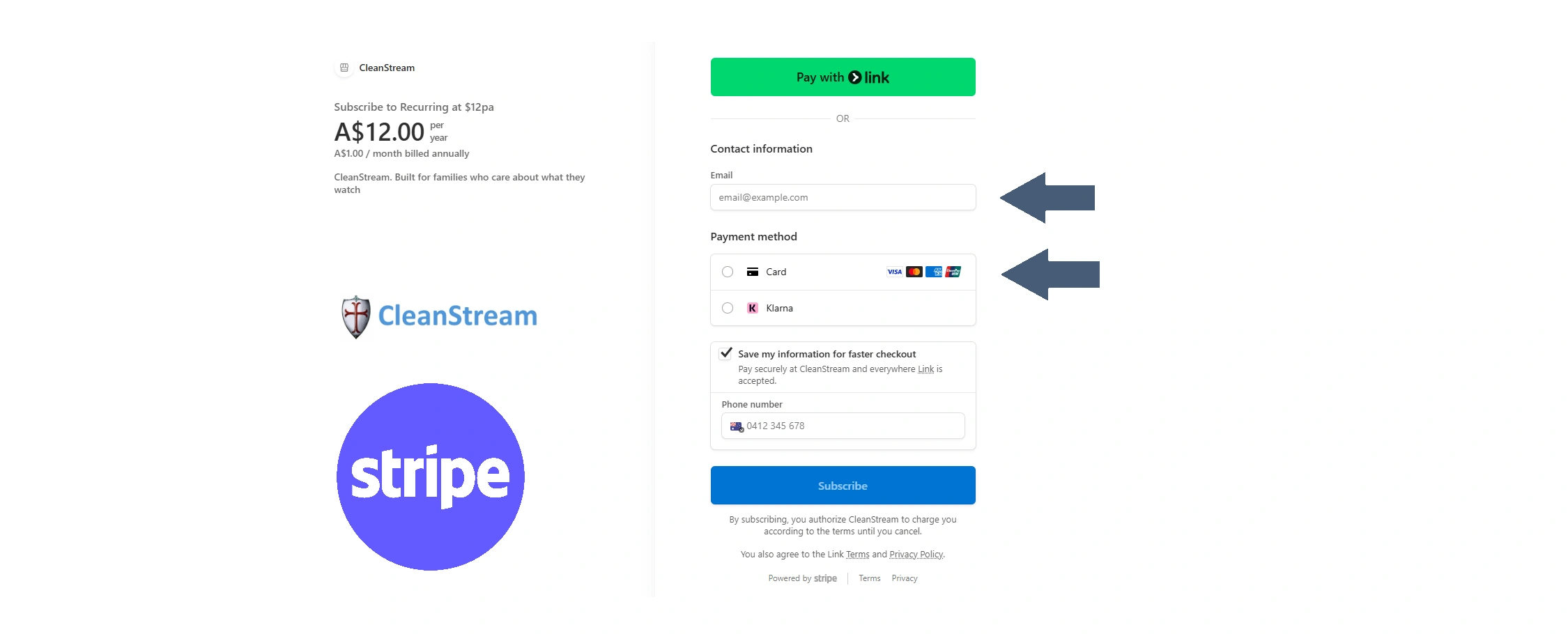
2. Complete secure checkout in Stripe
Safe and secure payment
Email address required for your key
Instant access after checkout
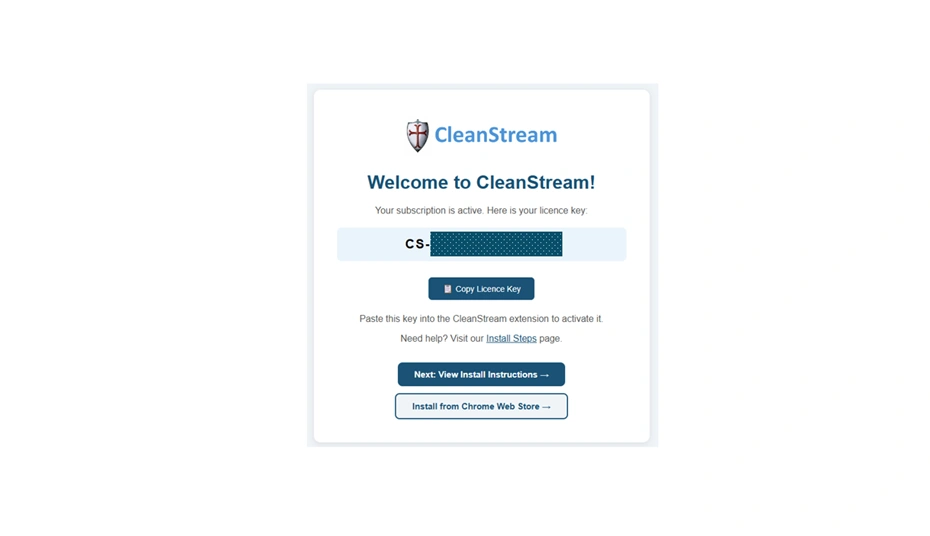
3. Copy your licence key (Your licence key can be activated on up to 2 computers in your household)
After clicking Subscribe on Stripe you will see this box
Click Copy License Key to put your key on the Clipboard
Click Install from Chrome Web Store
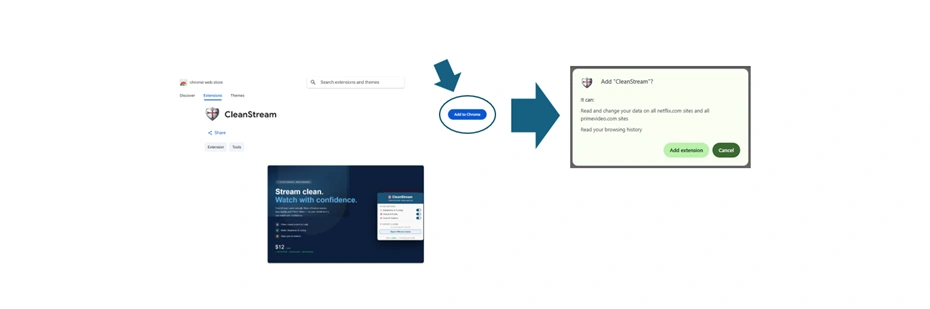
5. Install the CleanStream extension
Click Add to Chrome - it's just one button, no technical knowledge needed!
Add "CleanStream"? message comes up. Click Add extension
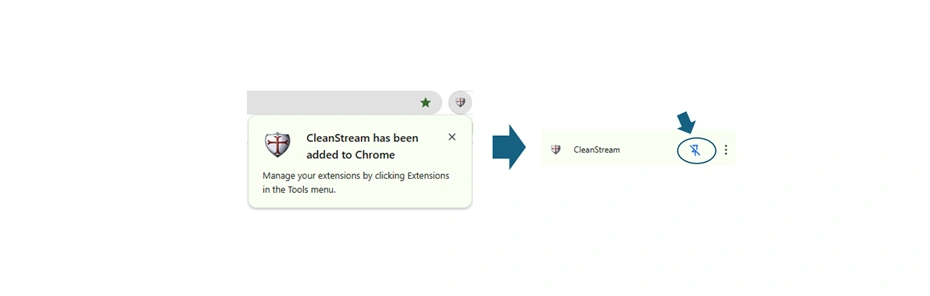
6. Click the CleanStream shield icon in Chrome toolbar
Chrome popup notifies you CleanStream has been added
Click on Extension puzzle, go down to CleanStream and click the pin

7. Activate your CleanStream
Paste your licence key into the Licence Key field
Click Activate
You'll see ✅ Activated - your filtering is now live!
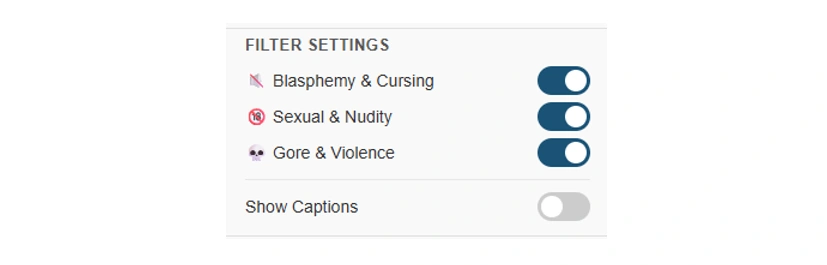
8. You're all set - start watching!
Choose what you want to turn on or off
Sexual content
Blasphemy and language
Gore and excessive violence
Toggle captions on or off
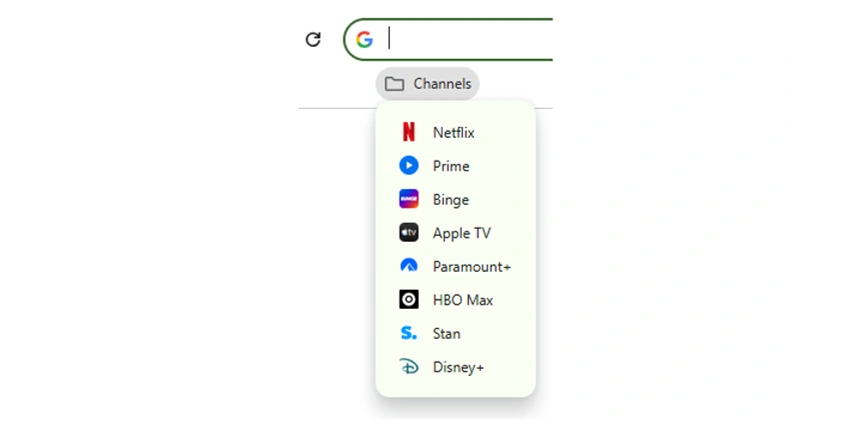
9. Organise your icons
Open any of our 7 supported platforms
Pin your Streaming Services to your Bookmarks Bar for quick access